The AI Video Generator Boom: What's Causing a Fever in the US in 2026
The digital content landscape is exploding with innovation, and right at the center of it all in 2026 is the rise of AI video generators. From viral TikToks to professional marketing campaigns, these tools are creating a massive buzz across the United States, topping trending lists and captivating creators everywhere.
Whether it's generating short clips from text prompts or transforming static images into dynamic videos, AI video tech is democratizing video production like never before. In this guide, we'll dive into why it's causing such a fever, the top tools making waves, how to get started without losing quality in your files, and tips for seamless integration with everyday workflows. Plus, discover how platforms like QuickFilr can help you handle the file conversions that come with this trend.
Why AI Video Generators Are Trending in the US
In January 2026, AI video generators have surged in popularity, driven by advancements in generative AI that make high-quality video creation accessible to anyone with a smartphone or laptop. Searches for "AI video generator" have skyrocketed, fueled by social media influencers, educators, and businesses looking for quick, cost-effective content.
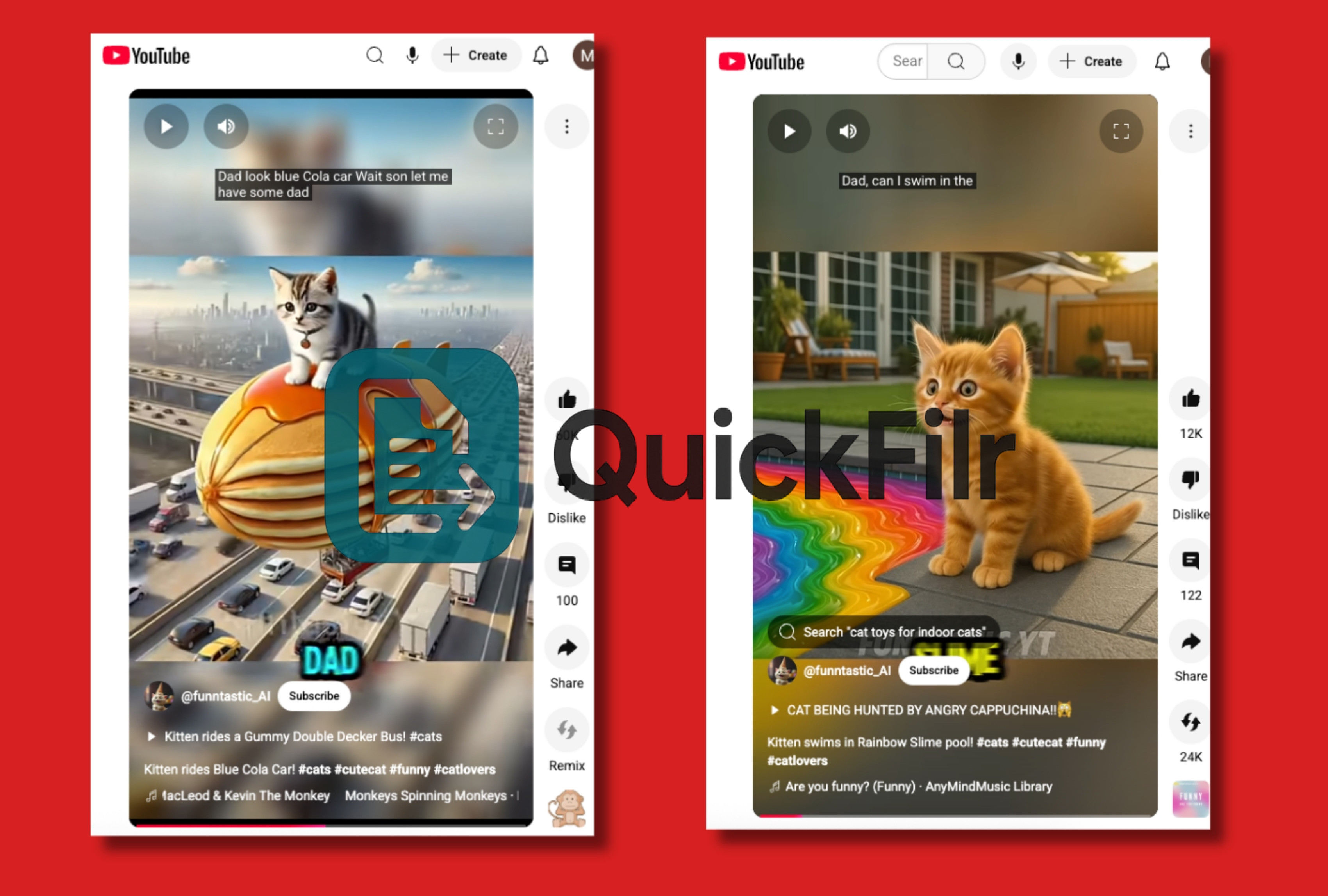
The fever is real: platforms like YouTube and TikTok are flooded with AI-generated content, from surreal animations to realistic tutorials, appealing to Gen Z's love for immersive experiences and quick edits.
Key reasons for the hype
- Accessibility: No need for expensive software or editing skills — type a prompt like "a cat dancing in space" and get a polished video in seconds.
- Efficiency: Brands are using it for ads, saving thousands in production costs.
- Creativity Boost: AI handles the heavy lifting, letting users focus on ideas.
However, with great power comes file management challenges. Videos often need conversion to formats like MP4 for sharing or frame extraction as images for additional editing.
Top AI Video Generators Taking Over in 2026
Several platforms are leading the charge, each offering unique features tailored to different types of creators.
- Sora by OpenAI: Generates hyper-realistic videos from text, ideal for storytelling and complex scene creation with physics-accurate motion.
- Runway ML: Focuses on AI-powered video editing, including style transfers and object removal, widely used by filmmakers.
- Kapwing's AI Video Generator: Beginner-friendly tool that turns scripts into videos using stock footage and effects, perfect for social media.
These examples highlight the surreal, creative, and highly engaging content capturing audience attention nationwide.
How to Get Started: Step-by-Step Guide
Ready to join the fever? Follow these steps to create your first AI video without sacrificing quality.
- Choose Your Tool: Start with free platforms like Kapwing or Pika Labs for basic experimentation.
- Craft a Prompt: Be specific, for example: "A futuristic cityscape at sunset, in 4K, with flying cars."
- Generate and Download: Most tools export files in MP4 or GIF format.
- Edit and Convert Files: Extract frames as JPG or PNG, compress for sharing, or convert formats using QuickFilr.
Pro Tip: Always download the highest resolution available and use lossless conversion methods to avoid quality degradation.
Integrating AI Videos into Your Workflow
The true value emerges when AI generation is combined with efficient file management.
- Social Media: Generate a video, extract key frames, apply watermarks, and publish across platforms.
- Education & Business: Convert AI videos into image-based PDFs for lessons, presentations, or handouts.
- Batch Processing: Handle multiple AI-generated files efficiently for cross-device compatibility.
QuickFilr’s AI-powered features — including image compression, OCR, and background removal — simplify post-production while preserving file quality.
Common Pitfalls and Ethical Considerations
- Over-reliance on AI: Always add human creativity to avoid generic or low-value content.
- Copyright Concerns: Ensure prompts do not replicate or infringe existing intellectual property.
- Quality Control: Test all conversions to prevent pixelation or format issues.
Conclusion
The AI video generator boom is more than a trend — it represents a fundamental shift in how video content is created in 2026. From casual creators to large businesses, the technology unlocks new creative and commercial possibilities.
For seamless file handling after generation, QuickFilr provides a secure, fast, and versatile solution for images, PDFs, and video assets.
Published on January 10, 2026 · QuickFilr Team


Comments
No comments yet.